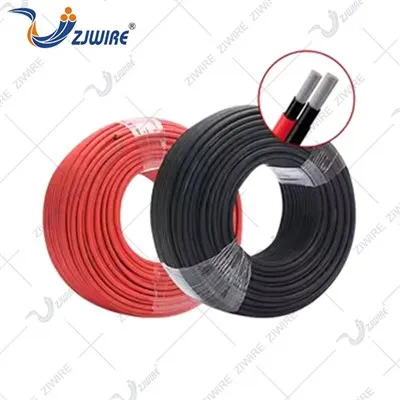
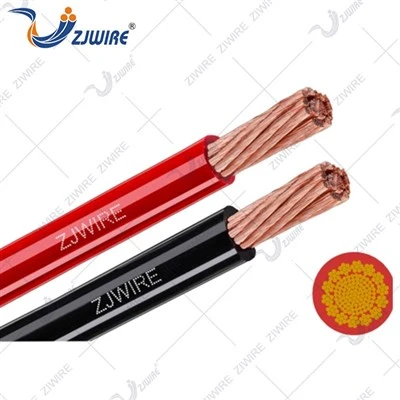
Cleaning an audio/video cable is a crucial maintenance task that can significantly enhance the performance and longevity of your cables. As a reputable audio/video cable supplier, I understand the importance of keeping these cables in top - notch condition. In this blog, I'll share some effective methods on how to clean different types of audio/video cables.


Why Clean Audio/Video Cables?
Before delving into the cleaning process, let's understand why cleaning these cables is so important. Over time, audio/video cables can accumulate dust, dirt, and grime. This build - up can interfere with the signal transmission, leading to issues such as poor audio quality, fuzzy video images, or even intermittent signal loss. Moreover, dirty cables are more prone to wear and tear, which can shorten their lifespan. By regularly cleaning your cables, you can ensure optimal performance and extend their usability.
Tools and Materials Needed
To clean audio/video cables, you'll need a few basic tools and materials:
- Soft microfiber cloth: This is ideal for gently wiping the cables without scratching the surface.
- Isopropyl alcohol: A 70% isopropyl alcohol solution is effective in removing stubborn dirt and grease.
- Cotton swabs: These are useful for cleaning the connectors, which are often hard - to - reach areas.
- Compressed air: It can be used to blow out dust from the cable jackets and connectors.
Cleaning Different Types of Audio/Video Cables
Network Cable
Network cables, such as Ethernet cables, are commonly used to connect devices to a network. To clean a Network Cable, start by unplugging it from the devices. Use a compressed air canister to blow out any dust or debris from the cable jacket. Then, dampen a soft microfiber cloth with a small amount of isopropyl alcohol. Gently wipe the cable from one end to the other, being careful not to bend or twist it too much. For the connectors, use a cotton swab dipped in isopropyl alcohol to clean the pins thoroughly. Make sure the connectors are completely dry before plugging the cable back in.
USB Cable
USB cables are ubiquitous and are used to connect a wide range of devices, from smartphones to computers. Cleaning a USB Cable is relatively straightforward. First, power off the connected devices and unplug the cable. Use a dry microfiber cloth to wipe away any visible dust on the cable. If there are stubborn stains, moisten the cloth with a little isopropyl alcohol and gently clean the affected areas. For the USB connectors, pay special attention to the small pins. Use a cotton swab to carefully clean each pin, removing any dirt or oxidation.
Audio Cable
Audio cables are essential for transmitting sound signals. To clean an Audio Cable, begin by disconnecting it from the audio source and the speaker or headphones. Inspect the cable for any visible damage. If there are no damages, use compressed air to remove loose dust from the cable. Then, take a soft microfiber cloth slightly dampened with isopropyl alcohol and wipe the cable. For the audio connectors, like the RCA or 3.5mm connectors, use a cotton swab to clean the inner parts. This will help maintain a clear and crisp audio signal.
Precautions
- Power off: Always make sure to power off the devices before cleaning the cables to avoid any electrical hazards.
- Avoid over - wetting: Do not soak the cables or connectors in isopropyl alcohol. Excessive moisture can damage the internal wiring.
- Be gentle: When cleaning the connectors, be very gentle to avoid bending or breaking the pins.
Frequency of Cleaning
The frequency of cleaning your audio/video cables depends on several factors, such as the environment in which they are used. If the cables are in a dusty or dirty environment, it's recommended to clean them every few months. In a relatively clean environment, an annual cleaning may be sufficient. However, if you notice a decline in the performance of your audio or video, it's a good idea to clean the cables immediately.
Conclusion
Cleaning audio/video cables is a simple yet effective way to maintain their performance and extend their lifespan. By following the methods described above, you can ensure that your cables continue to deliver high - quality audio and video signals. As an audio/video cable supplier, I'm committed to providing you with the best - quality cables and the knowledge to take care of them.
If you're in the market for high - quality audio/video cables or have any questions about cable maintenance, I encourage you to reach out for a procurement discussion. We offer a wide range of cables to meet your specific needs, and our team of experts is ready to assist you.
References
- "Cable Maintenance Guide" - Industry Standard Publication
- "Best Practices for Cleaning Electronic Cables" - Professional Electronics Journal